
I took my Kolbe test and fed it into Claude AI, and it changed how Claude speaks to me. It changed the information it gives me. Here is what the Kolbe test is, why I would add a Myers-Briggs test alongside it, and how you get your results into Claude.
What is the Kolbe test?
The Kolbe test has been going for years. I did mine a long time ago, maybe five to ten years ago. It talks about your way of working: how you like to make things happen. And I find it very accurate.
It comes back as four numbers. There is no good or bad score in Kolbe. It just tells you how you like to do things.
It costs something like fifty or sixty euro. That is negligible for anyone in business, and it is useful to know even just for yourself.
Kolbe tells Claude how you act. Myers-Briggs tells it how you think.
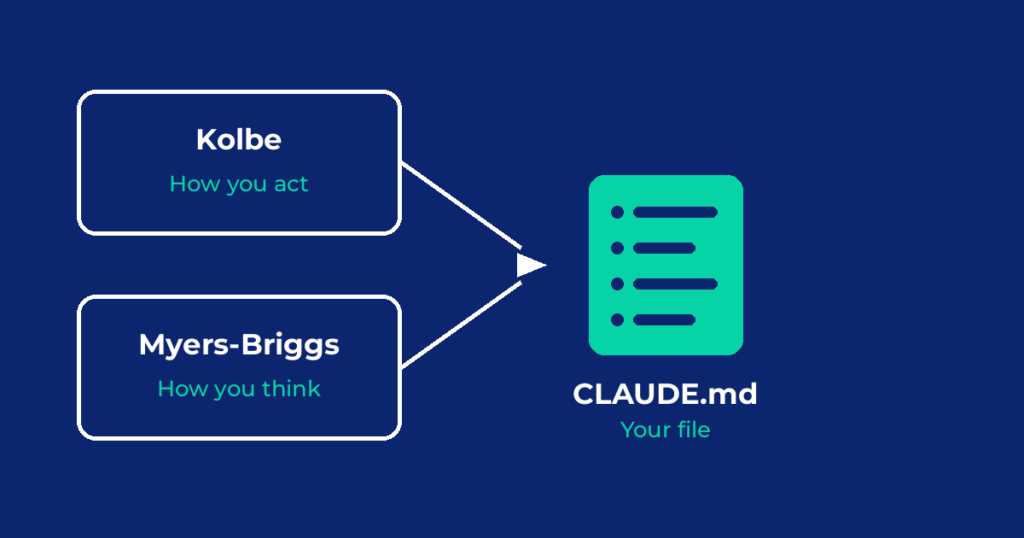
Kolbe tells Claude how you act and how you take action. Myers-Briggs tells Claude how you think and how you communicate. They are different aspects, so they give Claude different things to work with.
For the Myers-Briggs type of test, you can go to 16personalities.com. I know there is a free version there.
If you already have a personality test that you like, use that one, and do the Kolbe as well. But don’t overload it. One or two is fine. If you want to go mad, do three. Don’t be feeding twenty in. There is a point of diminishing returns.
How to get your Kolbe results into Claude
- Do the test and save your results. You could give Claude just the four numbers, but I would give it more than that. When you log in to Kolbe there is a graphic of your scores. I would screenshot that graphic.
- Put the results where Claude can see them. That is the folder you have told Claude it can work in.
- Ask Claude to add them to your CLAUDE.md file. That is just a text file you can read through. It is not crazy computer code. You can open the file and put the information in yourself, but it is just as simple to say to Claude, “Here are my Kolbe results. Here are my results from Myers-Briggs. I want you to add them to my CLAUDE.md file.” Claude will do it for you.
- Tell it who you are in your own words as well. When you set up Claude you tell it who you are and what you do. Your test results should be part of that.
Claude is your assistant, so why would you do the typing? On my Mac I just speak to it, and it writes out what I am saying.
From then on, Claude can refer to that file every time it responds to you.
What changes once Claude has your results
Claude understands Kolbe. It is going to speak to you in a specific way, depending on what your results show.
I am a very high Quick Start, so it shows me an overview. It shows me the big picture and cuts out a lot of the detail. I can get the detail later.
If you are a high Fact Finder, it is going to present the information to you in a different way again. It will give you lots of detail, which you will want to run through.
Yours is going to be very different from mine. You do the test, and then you will know what yours is too.
Where I use this
I do this in Claude Cowork on the desktop, where Claude works from a folder on my computer.
In my experience, and I could be wrong here, the other AI tools don’t deal with personality tests in the way that Claude does. They probably all will, in a year, or six months, or maybe even a month.
So try this. Do a Kolbe test. Do a Myers-Briggs. Feed them to Claude, play around a little bit, and see how it changes how it speaks to you.
Want to talk it through?
If you run a business and would like to talk through how AI could work for you, book a call with me here.