
Most of the talk about AI for accountants is about speed. Draft the email faster. Summarise the file faster. Get through the pile faster.
Speed is real. But speed on its own just makes people busier. Five people in a practice, each using AI their own way, will get a lot done, and all of it will point in five slightly different directions.
In a recent video, Alan from Irish Web Solutions used one worked example to show the fix. He calls it object-based AI, and an accountant's year-end is the clearest place to see it. (If you want the thinking behind the idea first, start with what object-based AI is.)
Your practice already has a way of doing year-end
Picture a practice that does end-of-year tax for its clients. Every firm like this has a way of doing it. Alan put it simply: A, B, C, D, E, F.
For one firm that might look like this:
- Send the client a checklist of what's needed.
- Chase and log the records as they come in.
- Reconcile the bank and check the books.
- Review expenses, allowances and anything unusual.
- Draft the return and the client summary.
- Partner review, client sign-off, then file.
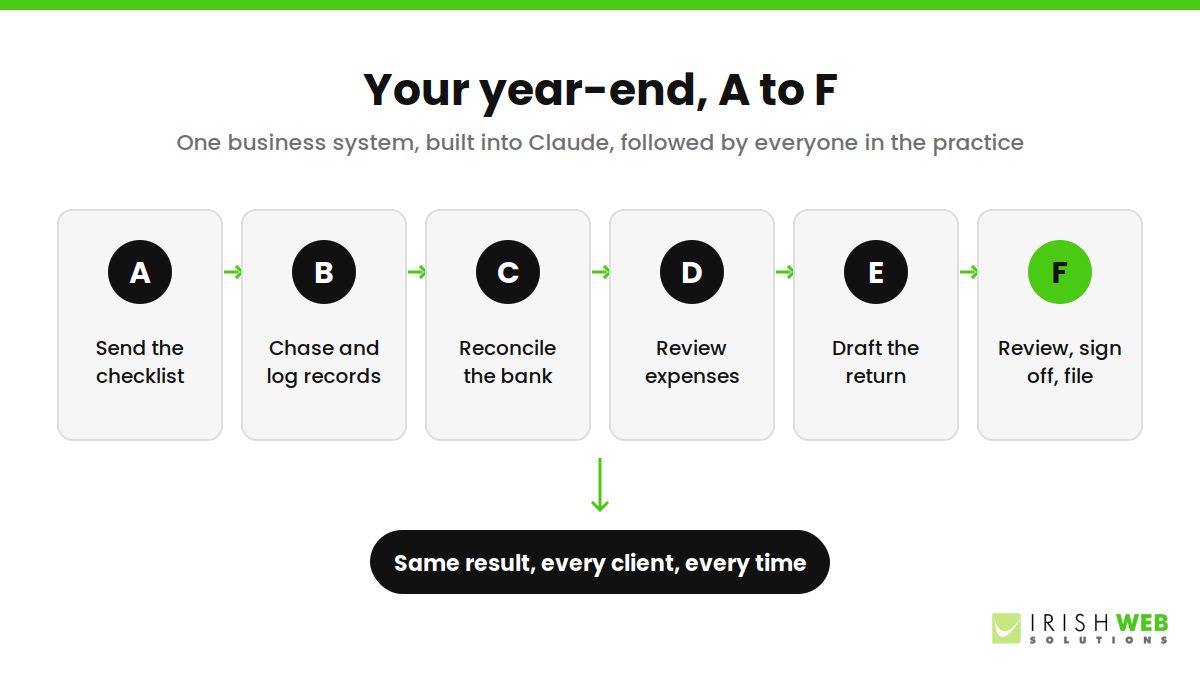
Your steps will be different. That's the point. They are yours, and they are how you get the client the result they're paying for. This is a business system: how we do things here.
The trouble is that this system usually lives in a senior person's head, or in a document nobody opens. So when a junior opens AI to help with a return, the AI has no idea how your firm does it. It just does it a way.
Step one: bring the system into Claude
The first move is to take that year-end process and give it to Claude. In Claude this is done with Skills: a written set of instructions for one kind of work, which Claude follows whenever that work comes up. Other AI tools are heading the same way with their own versions.
If the process isn't written down yet, that's fine. Claude can help build it. Talk it through with the partner who knows it best, let Claude turn the conversation into clear steps, then check and correct them together.
This is where the real value sits. Not in a clever prompt. Alan is blunt about it: prompts don't matter. Context and business systems do. A good skill holds both: what the job is, and how your firm does it.
Step two: connect it to the software you already use
A system that only lives in a chat window can only advise. Connect Claude to the tools the practice runs on, such as the accounts package, the practice management system and the CRM, and it can work with the real client file.
Now a step like "chase and log the records" isn't just a reminder. Claude can see what has arrived and what is still missing, in the place your team already keeps it. Logins should be handled through a password manager, so access stays secure.
We've covered which connections matter and how to set them up in connecting AI to your business software, so we won't repeat it here.
What changes: everyone works the firm's way
With the system in Claude and Claude connected to your software, something shifts. Everyone in the practice who uses Claude is guided the way your firm does year-end. The junior in their first season and the senior with twenty years behind them follow the same steps towards the same result.
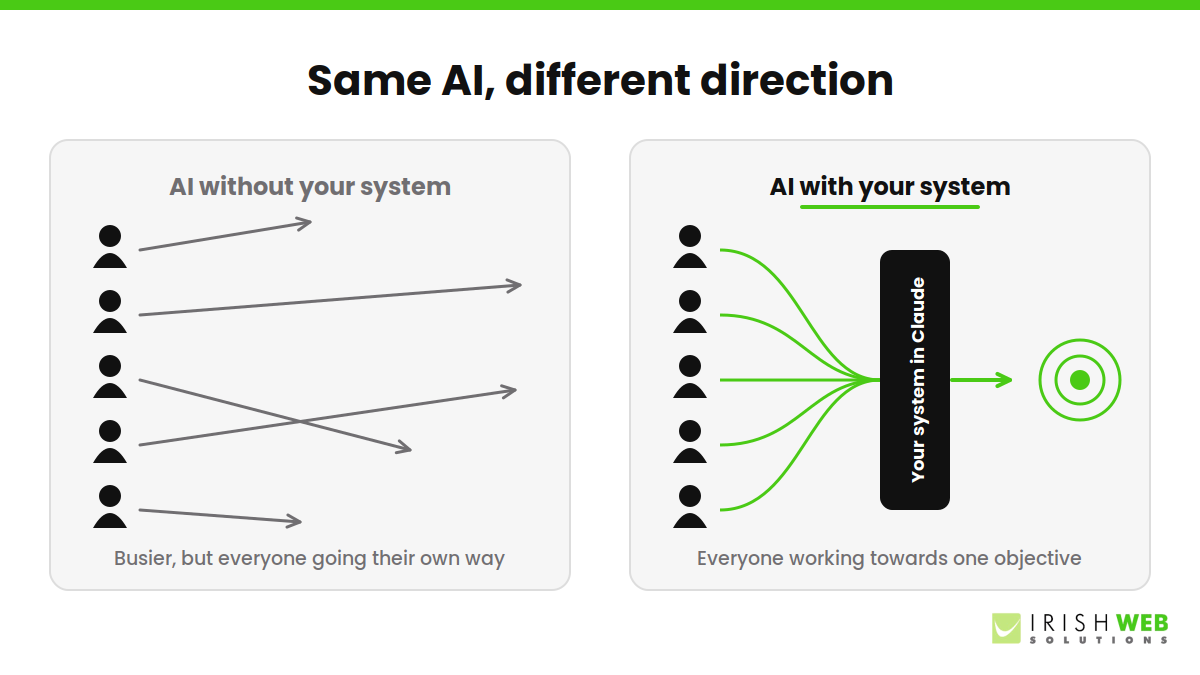
Alan compares it to Ford's assembly line. Before it, every car was built by hand and every one was different. After it, everyone in the factory worked towards one objective, to one standard, every time. Your year-end process becomes that line, and Claude keeps each person on it.
For the partners, that means fewer surprises at review. For clients, it means the same quality whoever handles their file. And your process stays your own: set up properly, your business systems are kept within your company and are not used to train the AI.
It isn't only for accountants
Year-end tax is just a clear example. Any business with a repeatable process can do the same thing. A solicitor's conveyancing file. An installer's site survey. A clinic's new-patient intake. A web agency's client onboarding.
The pattern is always the same:
- Write down how you do it, or have Claude help you write it down.
- Put it into Claude as a skill.
- Connect Claude to the software the work happens in.
- Let everyone use AI, now pointed in one direction.
If you use AI without your business systems, everyone is still going their own way, just faster. Your business systems are the language AI understands. Read more about how we build business systems.
Book a session now!
Not sure which of your processes to put into AI first? That's exactly what our free AI Health Check is for. We'll look at how work moves through your business, spot the process where AI will make the biggest difference, and show you what it's worth.